Overview
OpsRamp can collect Microsoft 365 Service Incident events and automatically create and resolve alerts for incidents affecting your Microsoft 365 tenant. This enables centralized visibility into Microsoft 365 service health directly from OpsRamp.
Prerequisites
To collect Microsoft 365 Service Incident events, a Microsoft 365 administrator must grant the following Microsoft Graph API permission:
- ServiceHealth.Read.All
Configuration
To enable Microsoft 365 Service Incident alerts in OpsRamp:
- Navigate to Setup > Account > Integrations and Apps > Installed Integrations > Office 365.
- Click Edit for the Office 365 integration.
Account Information
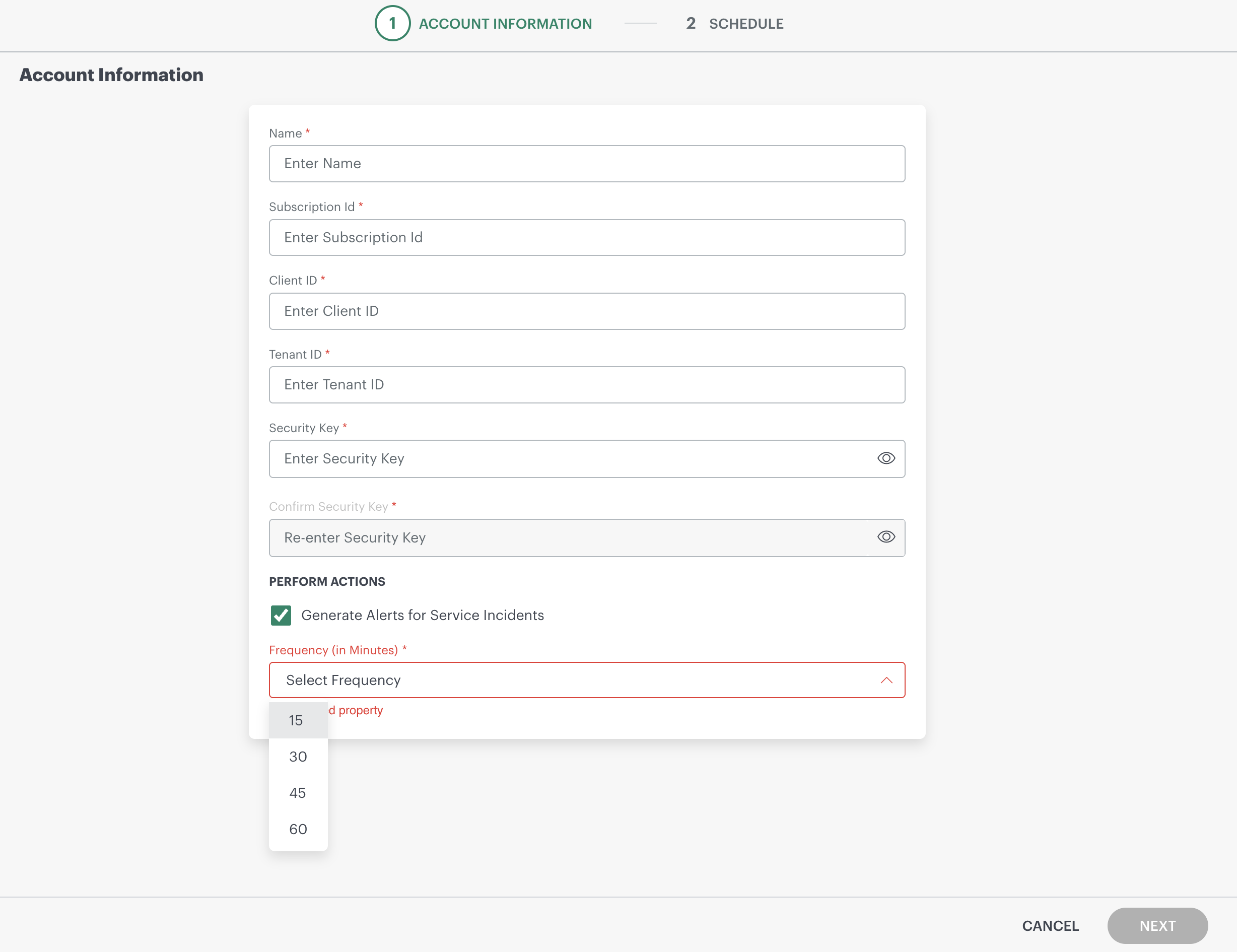
Under Perform Actions, configure the following settings:
Generate Alerts for Service Incidents
Turn this ON to start collecting Microsoft 365 Service Incident events and generate alerts in OpsRamp.
Polling Frequency
- Appears only after Generate Alerts for Service Incidents is enabled.
- Select how often OpsRamp polls Microsoft 365 for service incidents:
- 15, 30, 45, or 60 minutes
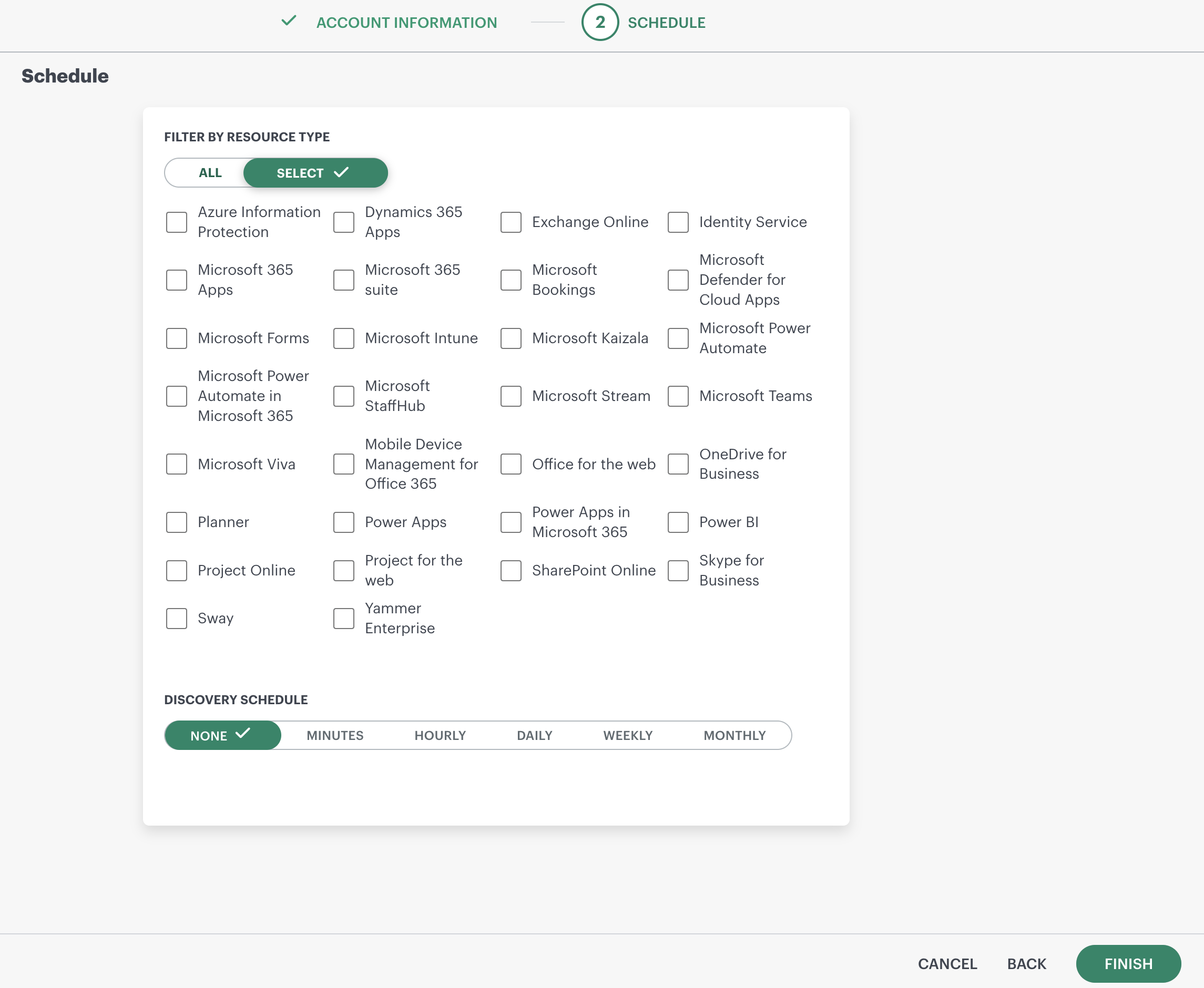
Resource Type Filter (Service Selection)
Service Incident events are generated only for the Microsoft 365 services selected in the Resource Type filter of the Office 365 integration.
- If ALL is selected, OpsRamp collects incidents for all supported Microsoft 365 services.
- If specific services are selected, OpsRamp collects incidents only for those services.
- After completing the configuration, click Save.
How Alerts Work in OpsRamp
When Generate Alerts for Service Incidents is enabled:
OpsRamp polls Microsoft 365 at the configured Polling Frequency.
During each poll, OpsRamp:
- Retrieves active service incidents from Microsoft Graph for the selected services.
- Creates one Critical alert per active incident per service in OpsRamp.
When Microsoft marks an incident as Resolved:
- OpsRamp detects the update during the next poll.
- The corresponding alert is automatically resolved (auto‑healed) in OpsRamp.
Example
Configuration
- Generate Alerts for Service Incidents: Enabled
- Selected Service: Exchange Online
- Polling Frequency: 15 minutes
Timeline
- 10:05 AM – Microsoft reports a new Exchange Online service incident.
- 10:15 AM – OpsRamp polls Microsoft 365, detects the incident, and creates a Critical alert.
- 10:22 AM – Microsoft marks the incident as Resolved.
- 10:30 AM – OpsRamp polls again and automatically resolves the alert.
Note
- Only service incidents are collected; service advisories are not supported.
- Alert creation and auto‑resolution timing depends on the selected Polling Frequency.
- No event or alerts are generated for services that are not selected in the Resource Type filter.