Introduction
The Integration Activity app provides detailed Integration activity logs that captures the actions performed between 3rd party tool and HPE-OPSRAMP.
Configuration Parameters
- Client Selection: You can select a single client from the dropdown list. Only the selected client data will get into the report.
- Select Installed Integrations: Select the integration to analyze in the report. Only one integration can be selected at a time.
- Select Status: Select a status. The options are Success, Failed, or Cancelled. Only one status can be selected at a time.
- Select Integration Log Mode: Select a log mode. The options are Inbound or Outbound. Only one option can be selected at a time.
- Analysis Period: Select an analysis period. The options are Last 1 Hour, Last 4 Hours, Last 8 Hours, Last 12 Hours, Last 24 Hours, Last 7 Days, Last Month, or Specific Period. For the Specific Period option, a maximum range of one month can be selected within the last 365 days
- Supported Format: Reports are generated in XSLS or CSV formats.
Reports Output
- Summary: This section provides the configuration details.
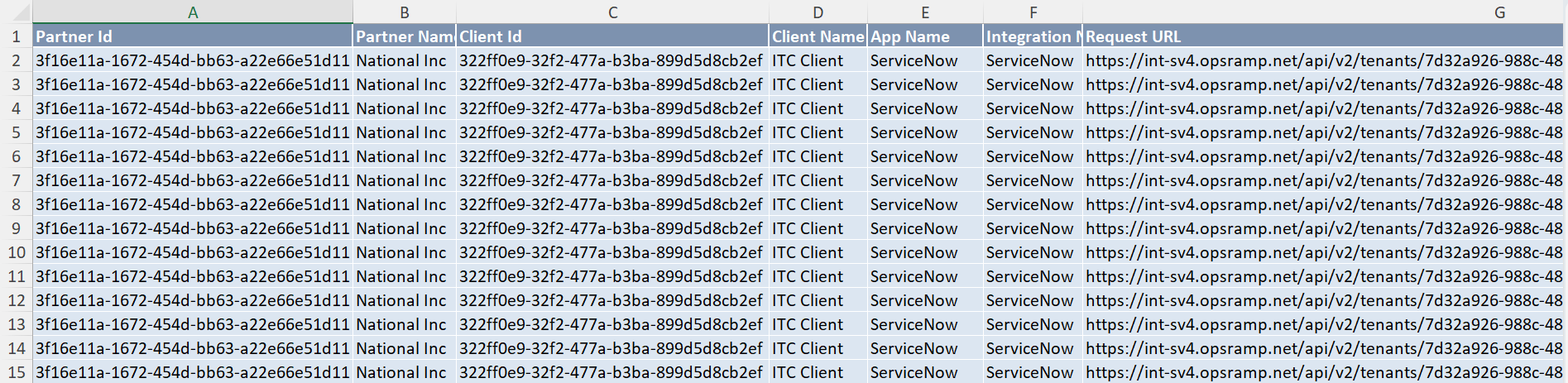
- Integration Activity Logs: This section provides the activity logs of the selected integrations.
- Glossary: This section contains detailed information about each section present in the report tab, helping you to understand the generated data better.
Sample of reports in XLSX format: